
A phishing site is a fake website that imitates a real service to obtain login details, payment information or wallet approvals. Checking one requires looking at the route by which the link arrived and what the site asks for, as well as the spelling of its address. Genuine accounts and legitimate domains can also serve as lures.
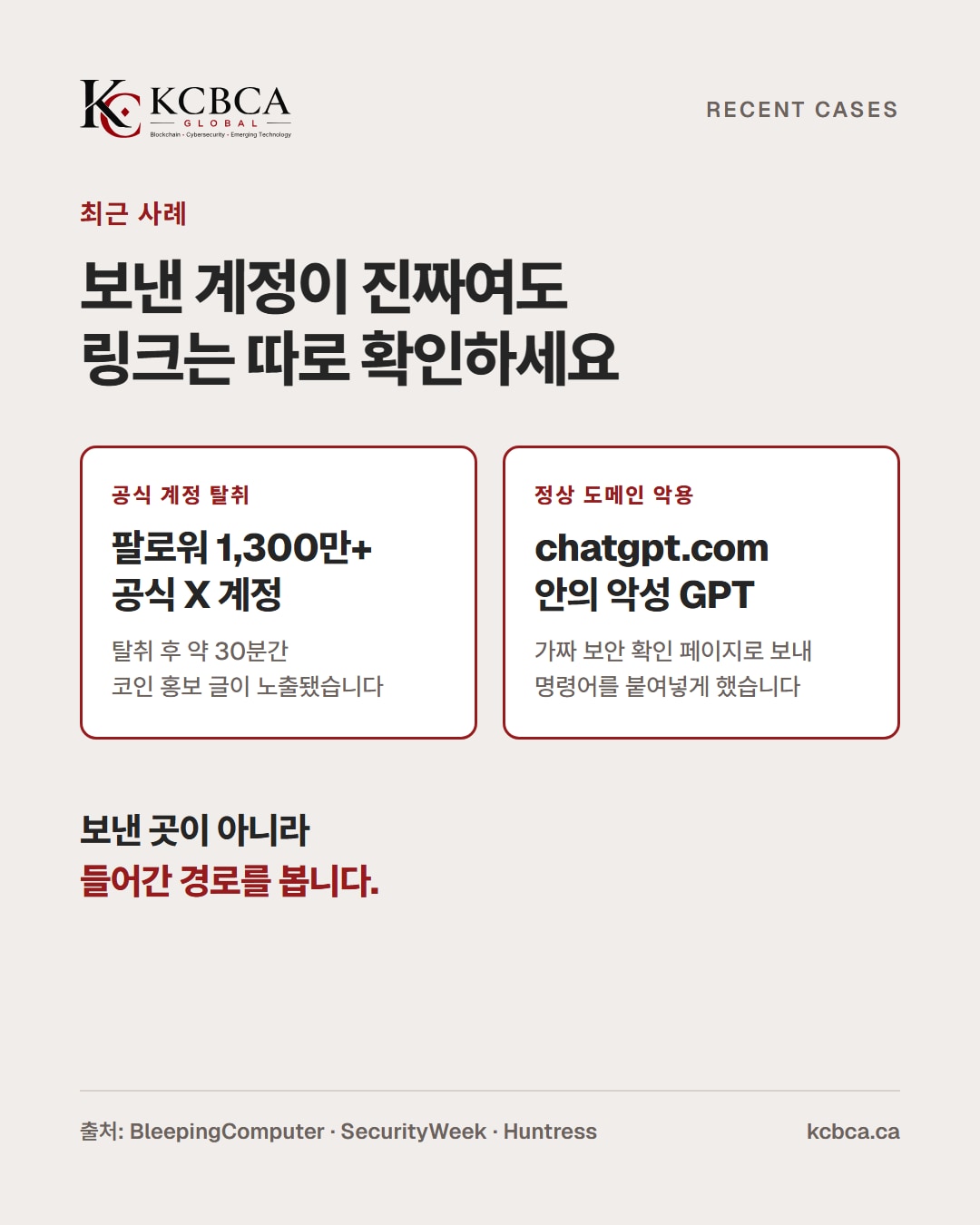
On October 2, Microsoft's official X account, with more than 13 million followers, was hijacked to promote the '$Clippy' coin (BleepingComputer). In late September, a malicious GPT on the legitimate chatgpt.com domain directed users to a fake security verification page (Huntress).
Avoid logging in, paying, approving wallet actions or running commands directly from a link you receive. The key is to find the official website or app independently and check whether it carries the same notice (KCBCA Signals p.19).
This article draws on an interview in KCBCA Signals Vol.1 Issue 1 (p.18-19) and recent security reporting.
A checklist for identifying phishing sites
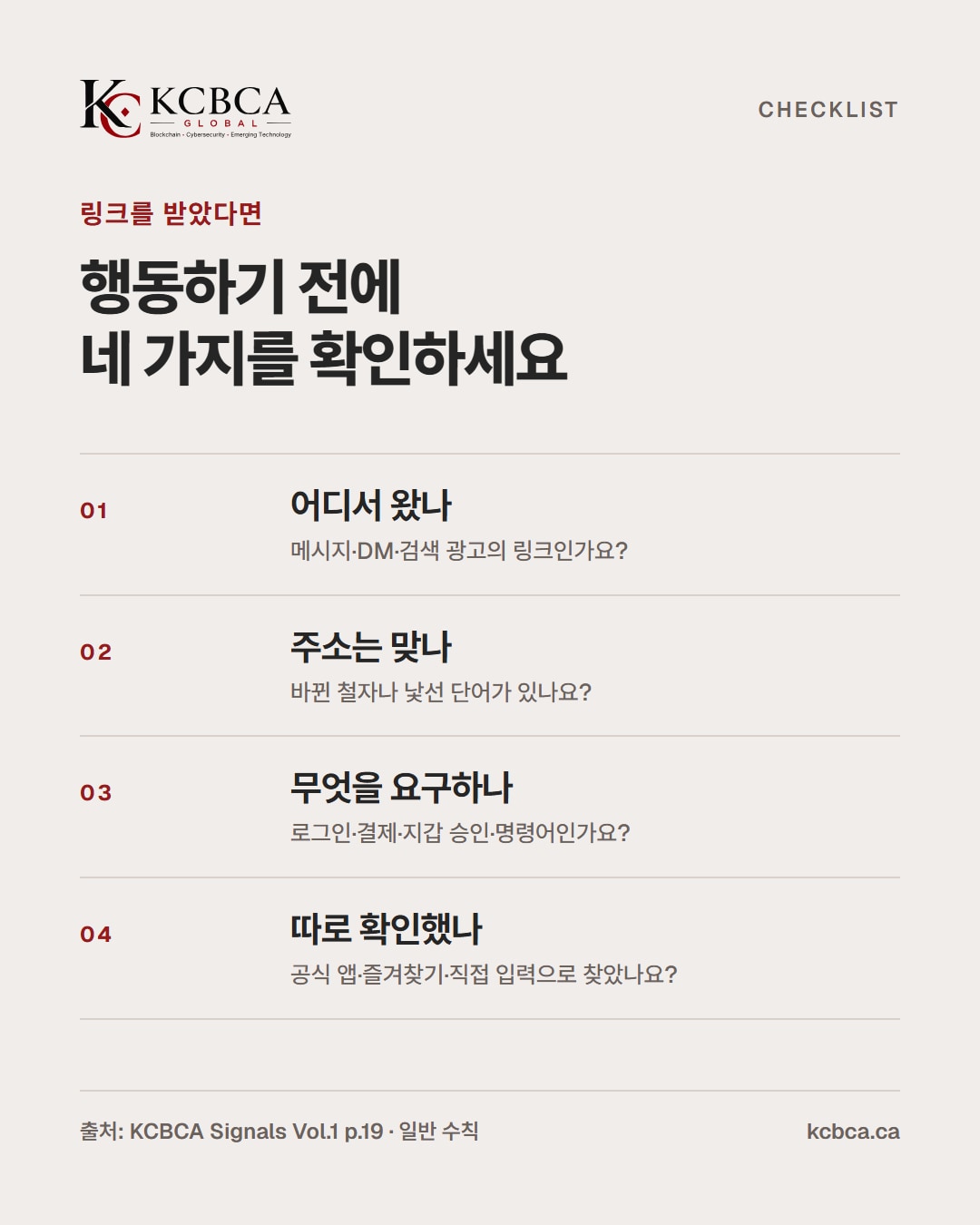
When you receive a link, check these four points in order. These are general precautions.
| What to check | How to check | Limitations |
|---|---|---|
| Address | Look for letter substitutions such as rn↔m or 0↔o, and unfamiliar words | Legitimate domains can contain malicious pages |
| Certificate (padlock) | It only indicates that the connection is encrypted | Fake sites can also display a padlock |
| Request | Does it unexpectedly ask for a login, payment, wallet approval or pasted command? | The more plausible it looks, the more important an independent check becomes |
| Route | Did you arrive through a message, DM or search advertisement, or navigate independently? | The sending account may also have been hijacked |
An address and a padlock are clues, not a conclusion. It is also necessary to understand what safeguards check and what they miss (KCBCA Signals p.19).
The trap of familiarity
Phishing sites exploit familiar appearances. Recognizable administrator names, service screens and official accounts you follow can lower your guard.
The KCBCA Signals interview warns against trusting a request merely because a familiar name appears in a messenger app (p.19). Even if you know the community, wallet requests need separate verification (p.18).
How crypto phishing unfolds
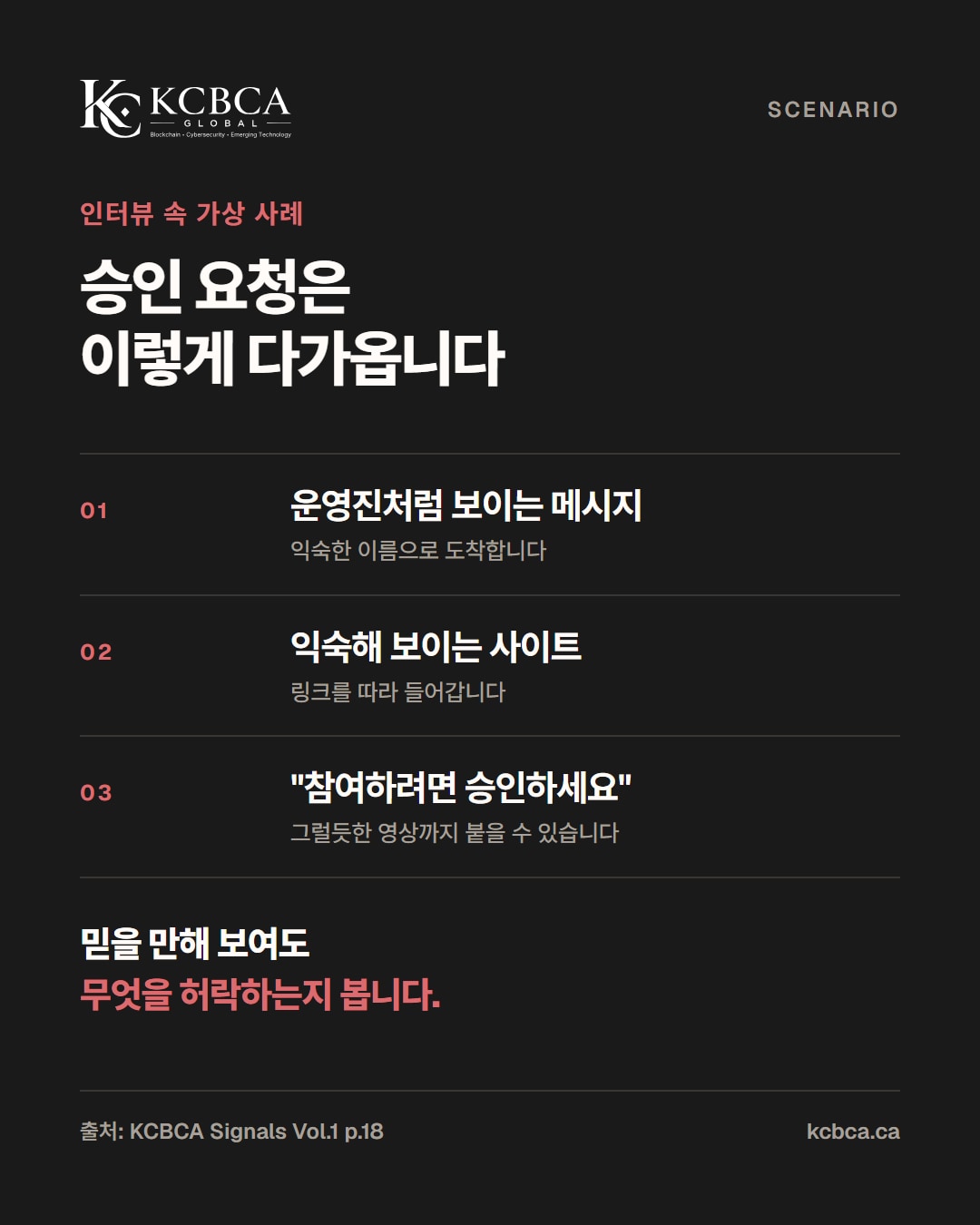
The following account from the interview is a hypothetical example (p.18).
- A message arrives that appears to come from an administrator.
- Opening the link brings up a familiar-looking site.
- It asks you to approve something to participate.
When reassuring signals overlap, it is easy to miss what you are actually authorizing (p.18). A token approval can grant another address permission to spend a particular token (p.18). Approvals are discussed in detail in the October 14 article on cold wallets.
Cases involving genuine accounts and legitimate domains
Case 1. Hijacking an official X account
On October 2, Microsoft's official X account (@Microsoft), with more than 13 million followers, was hijacked. It reposted content from an account impersonating Clippy and promoted the '$Clippy' token (BleepingComputer).
The posts were visible for about 30 minutes (SecurityWeek). Microsoft confirmed unauthorized access and said it had secured the account and removed the unauthorized posts. It did not disclose how the account was compromised.
Even when a post comes from an official account, independently check unusual coin promotions, events or approval requests on the official website.
Case 2. A malicious GPT on chatgpt.com
A sponsored advertisement in search results for 'ChatGPT' led to a malicious custom GPT called 'Plus 5.6' on the legitimate chatgpt.com website. Claiming the service was not working, the GPT directed users to a 'backup domain'.
The destination was a Google Sites page imitating a Cloudflare security check. Following its instructions to paste commands into Terminal or PowerShell installed a remote access trojan (RAT).
Huntress identified at least 40 incidents linked to this page, two of which passed through the malicious GPT. A second GPT appeared even after OpenAI removed the first (Huntress, Help Net Security). Users ultimately arrived at a phishing site.
Legitimate websites and CAPTCHA verification screens do not ask users to copy and paste commands (Help Net Security).
What to do if you have already clicked
If you have already clicked a phishing link, check the following in order.
- If you entered a password, change it and any passwords reused on other services, and enable two-factor authentication.
- If you connected a wallet or granted an approval, check and revoke the approval according to the official documentation. See the cold wallet article for details.
- If you ran a command or downloaded a file, have that device checked for security issues first.
- For advice on hacking, spam or privacy breaches, contact KISA's Boho Nara service at 118. Sending suspicious messages to the smishing verification service on the 'Boho Nara' KakaoTalk channel returns a normal, caution or malicious result.
- For financial fraud by phone or text, use the simple reporting service of the Korean National Police Agency's integrated response team for telecommunications financial fraud, or call 1394. If you have already sent money, immediately call 112 or your financial institution.
Reporting channels: KISA Boho Nara · Korean National Police Agency integrated response team for telecommunications financial fraud (checked in October 2026)
What organizations can prepare
Impersonated support accounts and misleading links are known threats in blockchain communities (p.19). People should be told in advance how to verify unexpected requests that lead to phishing sites (p.19).
Make official information easy to find and provide a way to verify destinations without using links in messages (p.19). Rather than closing an incident as 'user error', examine the message, website and approval screen together (p.18).
Frequently asked questions
Q1. Is a site safe if its address has a padlock (https)?
No. A padlock means the connection is encrypted; it does not guarantee that the site operator is genuine. Check the address, route and request together.
Q2. Is there a service that checks for phishing sites?
Sending suspicious texts or messages to the smishing verification service on the 'Boho Nara' KakaoTalk channel returns a normal, caution or malicious result. Examine the request separately regardless of the result (p.19).
Q3. Should links posted by official accounts also be questioned?
Verify unusual requests independently. As the Microsoft case shows, official accounts can also be hijacked. Navigate to the official website yourself to check whether it carries the same notice.
At a glance
- Genuine accounts and legitimate domains can also serve as lures
- Look at the route and request, beyond the address and padlock
- Find an official route independently instead of using the link you received
- Pause before running commands or approving wallet actions
Before clicking a link, verify it once more through an official route.
Read KCBCA Signals Vol.1 Issue 1 in full (p.18-19)
References: KCBCA Signals Vol.1 Issue 1; Jun Ahn (MemeCore CEO), “AI Impersonation and Trust in Blockchain Communities”, p.18-19; BleepingComputer (October 2, 2026) · SecurityWeek (October 2, 2026); Huntress (September 28, 2026) · Help Net Security (September 29, 2026). This article is not investment advice.